Google Ads is one of the most popular online advertising platforms in the world. It helps businesses show their products, services, websites, and offers to people who are actively searching for them online.
If you have ever searched something on Google and noticed a few results marked “Sponsored” or “Ad” at the top of the page, those are Google Ads.
The good thing about Google Ads is that businesses do not have to wait for people to discover them naturally. They can create advertisements and reach potential customers at the right time.
In this guide, we will understand Google Ads in very simple language.
What Is Google Ads?
Google Ads is an advertising platform from Google that allows businesses to promote their products and services online.
For example, imagine you have a digital marketing institute in Delhi. Someone searches Google for:
“Digital marketing course near me”
If you are running a relevant Google Ads campaign, your advertisement may appear when that person searches for the service you offer.
This means your advertisement can reach people who are already interested in what you provide.
Simple Definition
Google Ads = Paying Google to show your advertisement to the right audience at the right time.
How Does Google Ads Work?
Google Ads works mainly through targeting, keywords, bidding, advertisements, and landing pages.
The basic process looks like this:
Business → Creates Ad → Selects Audience/Keywords → User Searches → Google Shows Ad → User Clicks → Website/Landing Page → Conversion
For example:
| Step | What Happens |
|---|---|
| 1 | You create a Google Ads account |
| 2 | You choose your campaign goal |
| 3 | You select your target audience |
| 4 | You choose relevant keywords |
| 5 | You create your advertisement |
| 6 | You decide your budget |
| 7 | Google shows your ad to relevant users |
| 8 | User clicks your advertisement |
| 9 | User visits your website |
| 10 | User may call, purchase, register, or submit an enquiry |
Why Do Businesses Use Google Ads?
Google Ads can be useful because it allows businesses to reach potential customers when they are actively looking for products or services.
Some major benefits include:
- Increase website traffic
- Generate leads
- Increase online sales
- Promote products
- Get phone calls
- Increase brand awareness
- Reach specific locations
- Target specific audiences
- Promote special offers
- Measure advertising performance
For example, a person searching for “best running shoes online” already has an interest in running shoes.
An advertisement from a shoe company can appear in front of that potential customer.
Types of Google Ads
Google offers different advertising formats for different marketing goals.
| Ad Type | Where It Appears | Best For |
|---|---|---|
| Search Ads | Google Search results | Leads, sales, services |
| Display Ads | Websites and apps | Brand awareness |
| Shopping Ads | Google Shopping/Search | E-commerce products |
| Video Ads | YouTube | Awareness and engagement |
| App Ads | Google platforms | App installs |
| Performance Max | Multiple Google channels | Sales and conversions |
Let’s understand these in easy language.
1. Search Ads
Search Ads are text advertisements that appear on Google Search when people search for specific terms.
Example:
Someone searches:
“Best digital marketing course”
A relevant advertisement may appear above the organic search results.
Search Ads are useful for:
- Service businesses
- Local businesses
- Lead generation
- Online courses
- Professional services
- E-commerce searches
Search Ads are especially useful when people already have an intention to buy or enquire.
2. Display Ads
Display Ads are visual advertisements that can appear across websites and apps within Google’s advertising network.
They can contain:
- Images
- Text
- Logos
- Offers
- Call-to-action buttons
For example, someone may visit a website about fitness and see an advertisement for sports shoes.
Display Ads are commonly used for brand awareness and remarketing.
3. Shopping Ads
Shopping Ads are mainly useful for online stores.
They can show product information such as:
- Product image
- Product name
- Price
- Store name
- Promotional information
For example, if someone searches for:
“women’s ethnic suit online”
Shopping results may show different products with images and prices.
This makes Shopping Ads particularly useful for e-commerce businesses.
4. YouTube Ads
Google also provides advertising opportunities on YouTube.
Businesses can use video advertisements to introduce their:
- Products
- Services
- Brand
- Courses
- Offers
- Events
For example, before watching a YouTube video, you may see a short advertisement.
Video advertising can be useful for businesses that want to explain their products visually or build brand awareness.
5. App Ads
App campaigns help businesses promote mobile applications.
The goal could be:
- Getting app installations
- Increasing app engagement
- Encouraging users to complete actions inside an app
For example, a food delivery company can advertise its mobile application to potential customers.
6. Performance Max Campaigns
Performance Max campaigns allow advertisers to access multiple Google advertising channels through one campaign.
Depending on the campaign and available inventory, advertisements can appear across Google’s ecosystem.
The main goal is usually to drive conversions such as:
- Purchases
- Leads
- Sign-ups
- Calls
- Other valuable customer actions
What Are Keywords?
Keywords are words or phrases that people type into Google when searching.
For example:
“digital marketing course”
could be a keyword for a digital marketing institute.
Other examples:
| Business | Possible Keyword |
|---|---|
| Bakery | birthday cake near me |
| Digital Marketing Institute | digital marketing course |
| Clothing Store | women’s ethnic wear |
| Dentist | dentist near me |
| Hotel | hotels in Delhi |
| Gym | gym near me |
Choosing relevant keywords is an important part of Search Ads.
What Is Keyword Intent?
Keyword intent means understanding why someone is searching.
For example:
“What is digital marketing?”
This person may simply want information.
But:
“Digital marketing course fees”
shows stronger interest in learning or purchasing a course.
Another example:
“Buy running shoes online”
shows strong buying intent.
Understanding search intent helps advertisers choose better keywords and create more relevant advertisements.
What Is Bidding in Google Ads?
Google Ads uses an auction system.
When someone searches for something, Google determines which advertisements are eligible to appear and in what position.
Advertisers can set bidding strategies based on their campaign goals.
Some common goals include:
- Getting clicks
- Getting conversions
- Increasing conversion value
- Increasing visibility
The highest bid does not automatically guarantee the top position.
Google also considers factors such as advertisement relevance and expected performance.
What Is CPC?
CPC stands for Cost Per Click.
It means how much you pay when someone clicks your advertisement.
For example:
If you spend ₹1,000 and receive 100 clicks:
CPC = ₹1,000 ÷ 100 = ₹10
So your average cost per click would be ₹10.
| Term | Meaning |
|---|---|
| CPC | Cost Per Click |
| CTR | Click-Through Rate |
| CPM | Cost Per Thousand Impressions |
| CPA | Cost Per Acquisition |
| ROAS | Return on Ad Spend |
What Is CTR?
CTR means Click-Through Rate.
It tells you how many people clicked your advertisement compared with how many times it was shown.
For example:
Your ad receives 1,000 impressions and 50 clicks.
CTR:
50 ÷ 1,000 × 100 = 5%
So your CTR is 5%.
A higher CTR can indicate that your advertisement is relevant and attractive to the people seeing it, although CTR should always be evaluated in context.
What Is Conversion?
A conversion happens when a user completes an action that is valuable to your business.
Examples include:
- Making a purchase
- Filling out a form
- Calling your business
- Registering for a course
- Signing up for a newsletter
- Downloading an application
For example:
100 people visit your website.
10 people fill out your enquiry form.
Those 10 enquiries are conversions if the form submission is your defined conversion action.
What Is Conversion Tracking?
Conversion tracking helps you understand whether your advertisements are producing useful results.
Without conversion tracking, you may know that people clicked your ads, but you may not know whether those clicks generated customers or leads.
For example:
| Metric | Result |
|---|---|
| Ad Impressions | 10,000 |
| Clicks | 500 |
| Website Visitors | 500 |
| Leads | 40 |
| Customers | 12 |
| Ad Spend | ₹20,000 |
This information helps you understand whether your campaign is working.
What Is Landing Page?
A landing page is the webpage users reach after clicking your advertisement.
Suppose your advertisement says:
“Learn Digital Marketing – Join Our Course Today”
The user should ideally land on a page that clearly explains:
- Course details
- Benefits
- Modules
- Fees
- Testimonials
- Contact information
- Registration process
A good landing page should match the advertisement.
Simple Rule:
Ad Promise → Landing Page Delivers the Promise
If your advertisement promotes a digital marketing course but the landing page talks about unrelated services, users may leave without taking action.
Google Ads Budget
One advantage of Google Ads is that advertisers can control their spending.
You can decide how much you are comfortable spending based on your marketing goals.
For example:
| Daily Budget | Approx. Monthly Budget |
|---|---|
| ₹300 | ₹9,000 |
| ₹500 | ₹15,000 |
| ₹1,000 | ₹30,000 |
| ₹2,000 | ₹60,000 |
These are simple budget examples, not guaranteed spending or performance figures. Actual results depend on campaign settings, demand, competition, targeting, and other factors.
Important Google Ads Terms
Here are some important terms beginners should understand:
| Term | Easy Meaning |
|---|---|
| Campaign | Main advertising setup |
| Ad Group | Group of related ads and targeting |
| Keyword | Search phrase you target |
| Impression | Number of times an ad is shown |
| Click | When someone clicks an ad |
| CPC | Cost for a click |
| CTR | Percentage of impressions that resulted in clicks |
| Conversion | Valuable action completed by a user |
| CPA | Cost to get one conversion |
| Landing Page | Page users visit after clicking |
| Budget | Amount allocated for advertising |
| Bid | Amount or target used in the ad auction |
| ROAS | Revenue generated compared with ad spend |
Advantages of Google Ads
1. Fast Visibility
SEO can take time. Google Ads can help businesses become visible in paid search results relatively quickly after campaigns are approved and eligible to serve.
2. Targeted Advertising
You can target users based on factors such as location, language, audience signals, and search behavior depending on the campaign type.
3. Measurable Results
You can track impressions, clicks, conversions, costs, and other performance metrics.
4. Flexible Budget
Businesses can set budgets according to their advertising strategy.
5. Different Campaign Options
Google provides multiple campaign types for different business goals.
Common Google Ads Mistakes Beginners Make
Beginners often make mistakes when creating their first campaigns.
Mistake 1: Choosing Irrelevant Keywords
Your keywords should be connected to your products or services.
Mistake 2: Sending Everyone to the Homepage
A relevant landing page is often better than sending every visitor to a general homepage.
Mistake 3: Ignoring Conversion Tracking
Clicks are useful, but businesses usually care about valuable actions and business results.
Mistake 4: Writing Generic Ads
Your advertisement should clearly communicate what you offer and why someone should choose you.
Mistake 5: Not Reviewing Performance
Campaigns should be monitored and improved based on data.
Google Ads vs SEO
Google Ads and SEO are both useful, but they work differently.
| Google Ads | SEO |
|---|---|
| Paid advertising | Organic visibility |
| Can provide faster visibility | Usually takes longer to build |
| You pay for advertising activity | No direct payment for organic clicks |
| Campaign-based | Long-term strategy |
| Strong control over targeting | Depends heavily on search algorithms |
| Useful for immediate campaigns | Useful for sustainable organic growth |
A strong digital marketing strategy can use both SEO and Google Ads.
How to Start Learning Google Ads
If you are a beginner, do not try to learn everything at once.https://www.youtube.com/watch?v=autzRHtt-RM
Follow these steps:
- Understand basic digital marketing.
- Learn how Google Search works.
- Understand keywords and search intent.
- Learn different Google Ads campaign types.
- Understand bidding and budgets.
- Learn how to write effective advertisements.
- Understand landing pages.
- Learn conversion tracking.
- Study important metrics.
- Practice creating sample campaigns.
- Analyze campaign performance.
- Keep learning and improving.
Final Thoughts
Google Ads can be a powerful tool for businesses when it is planned, targeted, tracked, and optimized properly. The goal is not simply to get more clicks. The real goal is to connect with the right people and encourage valuable actions such as purchases, enquiries, registrations, or calls.
If you are beginning your digital marketing journey, learning Google Ads can be an excellent skill to add to your knowledge.
At AINOS Digital, we believe that digital marketing becomes easier when you learn it step by step and practice what you learn.
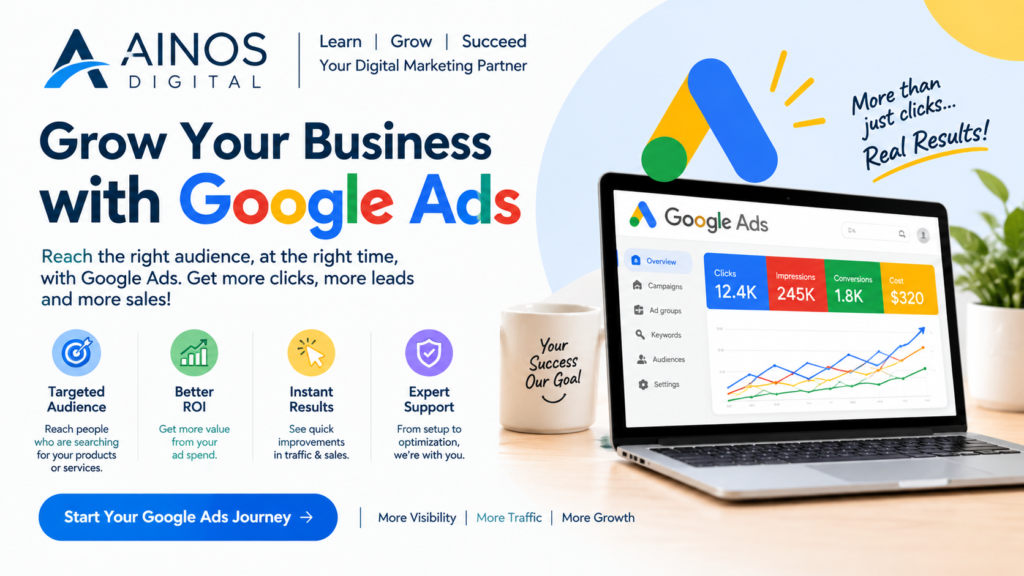
Learn the basics. Practice regularly. Understand the data. Improve your strategy. Grow with digital marketing.
Visit us :- AINOS